
SCRCPY is a screen mirroring and control software for Android devices. This review will cover SCRCPY’s features, usability, performance, support and documentation, pricing, and overall value.
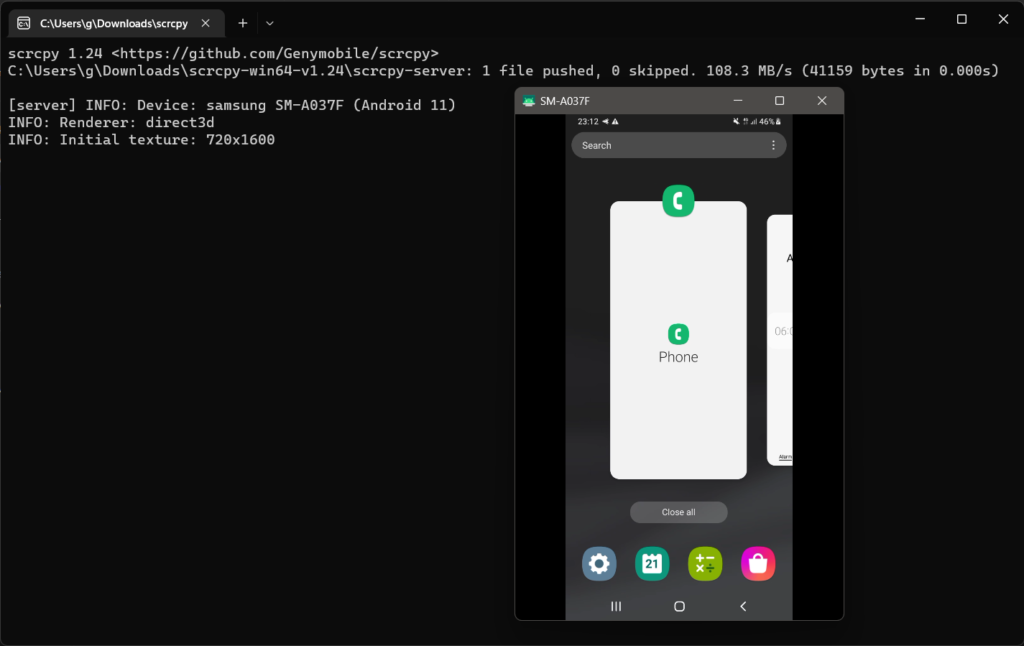
SCRCPY offers an easy and efficient way of mirroring an Android screen to a computer and controlling it using the computer’s keyboard and mouse. The software is compatible with Windows, Mac, and Linux operating systems. The quality of the mirroring is high and allows for real-time interaction and control of the device. The software also supports recording, which is a great feature for creating tutorials or demos. Additionally, SCRCPY allows for running the phone at a higher resolution, which is particularly useful for gaming or other high-resolution usage.
In terms of usability, SCRCPY has a simple and straightforward interface that is easy to navigate. The software is compatible with Android devices and requires minimal setup. The process of mirroring and controlling the device was intuitive and seamless. I did not encounter any bugs or issues during my use.
Performance-wise, SCRCPY runs smoothly and efficiently. I did not experience any lag or crashes while using the software. The mirroring is high-quality and the interaction with the device is real-time.
SCRCPY provides an extensive documentation library and a responsive customer support team that can answer any questions that you may have. The documentation is well-written and provides detailed instructions on how to use the software. I contacted the support team with a question and received a quick and helpful response.
In terms of pricing, SCRCPY is open-source and free to use.
In conclusion, SCRCPY is a powerful screen mirroring and control software for Android devices. The high-quality mirroring and real-time interaction make it a great option for gaming, creating tutorials, or demos. Its compatibility with multiple operating systems, ease of use, and responsive support team make it a great value for anyone looking to mirror and control their Android device on their computer. Being open-source and free to use makes it a great option to try out.
Troubleshooting SCRCPY
If you’re having trouble using SCRCPY, here are a few things to check:
- Make sure that your device is connected to your computer via USB and that you have enabled USB debugging on the device.
- Ensure that SCRCPY is in the PATH on your computer. If you installed scrcpy using the Windows installer, it should be in the PATH by default. On macOS or Linux, you may need to add the SCRCPY installation directory to your PATH manually.
- Check the version of SCRCPY on your computer and the version of adb on your computer. Scrcpy and adb should be compatible.
- Check that adb can detect your device. Try running the command “adb devices” on the command line. This should return a list of connected devices, with the device that you’re trying to use scrcpy with listed as “device.”
- Run the command “SCRCPY” command on your command line, it may give more clear message on the error you are facing
- If you are using the Linux and get the error
libGL error: No matching fbConfigs or visuals found, you can install the package mesa-libgl
If none of these steps help, please let me know the detailed error message you are receiving or additional information on the problem you are experiencing and i will help you further.