
If you use Windows, you must be accustomed with the Notepad text editor and its ease for taking notes and saving important impromptu text. The alternate for this tool, for coders, is the versatile Notepad++ source code editor.
It is an open-source, free tool that can be downloaded from the official website as a 64 and 32-bit version. Its installation process is simple and involves running a 2.7 MB installer file written in C++. The lightweight editor consumes only 4 MB of space on the hard disk, which means you don’t need a heavy system to run this tool.
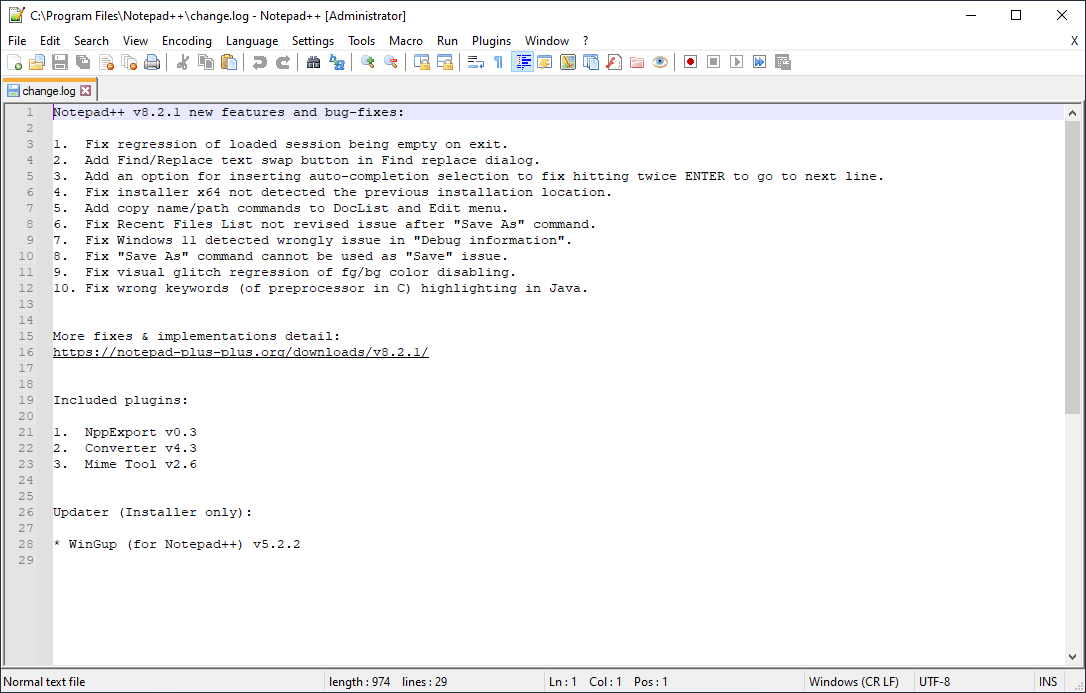
The Notepad++ editor is targeted towards mid-level coders, but its features are a bit novice for advanced users. However, that doesn’t mean that it doesn’t offer value. Let’s go through some of the notable features that make this tool stand out!
The open-source nature of the software ensures that it can be modified to facilitate developers’ requirements and suggestions. Users can contribute to this project by submitting feature requests and bug reports, turning in patches and bug fixes, sharing auto-completion files, themes, and plug-ins, offering online support, translating it to a different language, and even buying official Notepad++ merchandise (we’re not joking!). The popularity of the software is evident from the fact that it has a large, active community behind it which contributes to it by making it available in multiple languages.
As a coder, you must know the pain of not viewing code properly. The harder it is to view, the difficult it is to debug! Notepad++ offers the capability to zoom in and out text – eliminating the need to change the font size to improve visibility.
Another feature that is extremely helpful for coders for debugging is line numbering. The default Notepad tool lacked this feature, but the Notepad++ includes line numbers that help coders identify a specific line so they can easily modify it. Furthermore, Notepad++ can detect modified files in the background. And once that happens, it gives the user the option to either load the original source file or the modified version.
The Search and Replace option, like in other documents, is yet another valuable feature for coders, especially when making changes in a configuration file as they require the user to use the Search and Replace option numerous times.
Notepad++ supports over 50 programming, markup, and scripting languages in addition to code folding and syntax highlighting. Syntax highlighting is an in-demand feature for developers that helps them speed up the code review process. That’s not all! It also supports auto-completion for functions, function parameters, and words, brace highlighting, and auto-indentation. All these features help developers write and fix code faster.
Beneath the simple interface of Notepad++ lies a powerful and customizable code editor that can be extended to accomplish coding tasks of low to medium level complexity – and it is available for free! No wonder it’s an absolute favorite of programmers.